
Download ArtRage 5 – digital art, drawing tools, painting software, creative tools, art app
Overview
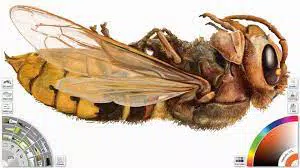
ArtRage 5 is a digital art application designed for artists seeking a realistic and intuitive painting experience on mobile devices. Developed by Ambient Design, the app aims to bridge the gap between traditional and digital art by simulating the physical behavior of real-world media. It serves as a comprehensive tool for users who want to draw, paint, and create detailed artwork with precision and control. The app is particularly well-suited for hobbyists, illustrators, and digital artists who value tactile feedback and authentic material responses in their creative process.
ArtRage 5 addresses the common challenge of digital art tools feeling disconnected from physical media by emphasizing realistic interactions between colors, brushes, and surfaces. For instance, paint layers bleed and blend naturally, mimicking watercolor techniques, while oil paints build up with texture and depth. This focus on material authenticity enhances the creative workflow and supports a more immersive experience. The app is especially valuable in educational settings, personal sketching, and professional concept work where expressive accuracy matters.
While the developer did not provide additional technical details about the company’s background, the app’s consistent release cycle and dedicated feature set suggest a strong commitment to artistic software innovation. ArtRage 5 stands out in the mobile art ecosystem by prioritizing realism and user control over flashy, feature-heavy interfaces. Its presence reinforces the growing demand for high-quality, specialized tools in the digital creativity space.
Key Features & Functionality
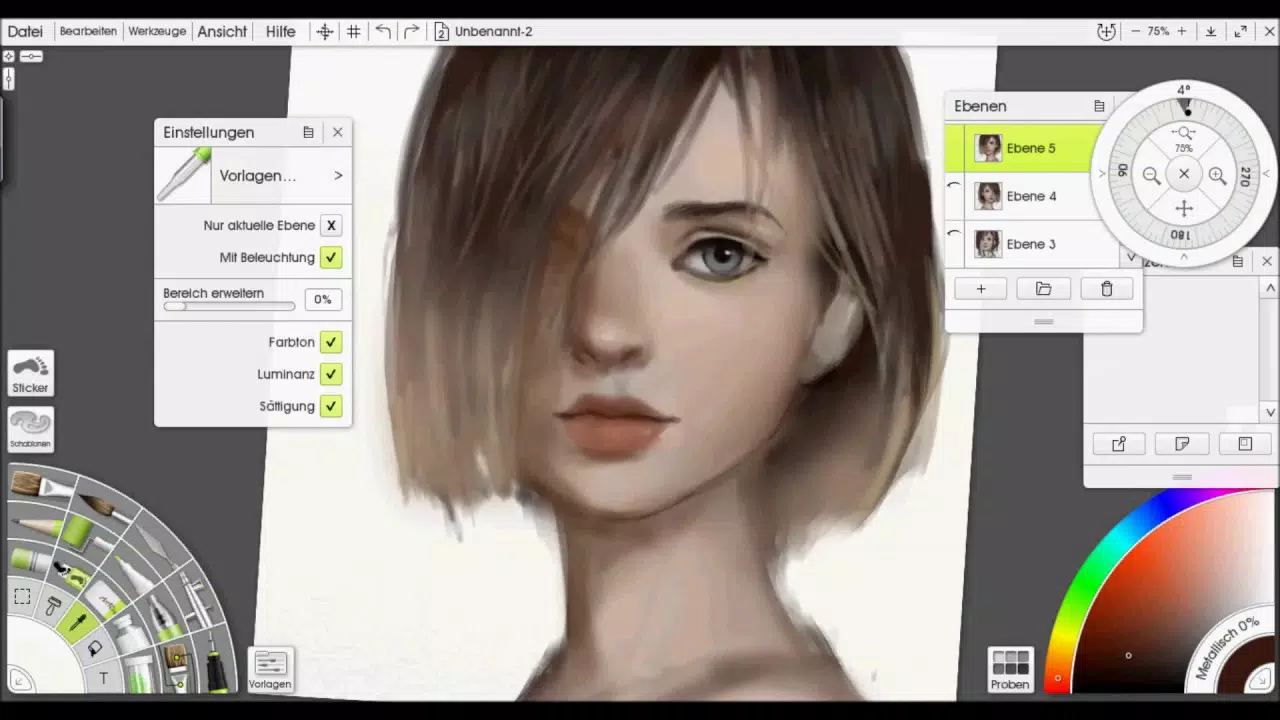
- Intuitive Tool Customization Interface – ArtRage 5 features a dual-wheel system at the bottom of the screen, allowing real-time adjustment of brush type, size, color, and opacity without navigating through menus. This layout minimizes interruptions during creative flow and supports a natural drawing rhythm.
- Realistic Material Interaction – The app simulates how different media behave in real life. For example, applying a paint roller over a watercolor layer causes the pigment to bleed and spread, with the effect persisting until covered by additional layers—just like in physical painting.
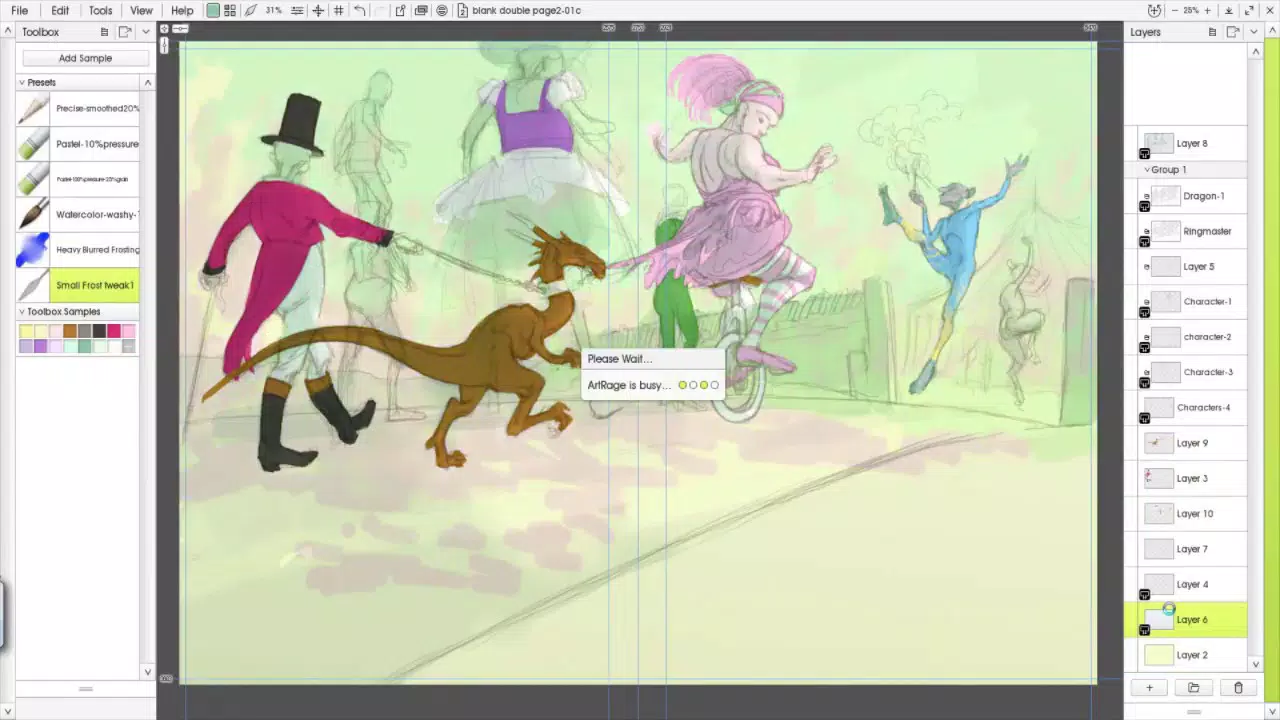
- Trace Functionality – Users can place a reference image behind the canvas and trace it with precision, aiding in the creation of accurate sketches, character designs, or architectural renderings.
- Customizable Canvas and Workspace – The canvas can be resized, rotated, and layered with multiple supports, allowing artists to adapt the workspace to their preferred composition style.
- Extensive Brush Library – A wide range of simulated brushes—such as pencils, markers, watercolor, oil, and airbrush—offers diverse textures and behaviors tailored to different artistic techniques.
These features are particularly beneficial for users creating concept art, personal illustrations, or detailed digital paintings. The trace function, for instance, supports artists who want to refine hand-drawn sketches into polished visuals. The realistic paint interactions allow for expressive experimentation without the need for physical materials, making it ideal for on-the-go creation.
Interface, UX & Performance
ArtRage 5 presents a clean, minimal interface that prioritizes the canvas space. The absence of cluttered menus or radial buttons allows users to focus on their artwork. The dual-wheel control system is positioned at the bottom of the screen, ensuring easy access with one hand during drawing sessions. Navigation is straightforward, with intuitive gestures for zooming, panning, and switching tools.
Visual feedback is immediate and responsive, with smooth transitions between brush strokes and layer changes. The app maintains consistent frame rates during drawing, even with multiple layers and complex textures. Although the developer did not list formal performance metrics, the interface remains stable during extended use, with no reported crashes or freezes in standard usage scenarios.
Performance may vary slightly depending on device capabilities, but the app is optimized for a range of Android devices. Responsiveness is maintained across different screen sizes and resolutions, ensuring a consistent experience whether using a tablet or a smartphone. The design prioritizes usability over visual flair, making it accessible to both beginners and experienced artists.
Platform Compatibility & Technical Requirements
ArtRage 5 is available on the Android platform and requires a device running Android OS. The app has a file size of 132.4 MB, which is relatively compact for a creative tool of its complexity. The latest version is 5.0.3, released on April 12, 2024.
The developer did not specify minimum OS requirements or device compatibility details. As such, users should ensure their device meets general Android standards for running graphics-intensive applications. Compatibility information was not fully disclosed, so installation may depend on individual device specifications.
Pros and Cons
Pros
- Realistic simulation of physical painting materials
- Intuitive dual-wheel interface for seamless tool control
- Powerful trace feature for accurate sketching and design
- Highly customizable brushes and canvas settings
- Free to download and use with no in-app purchases
Cons
- Some settings lack clear in-app explanations or tooltips
- Developer did not provide detailed system requirements
- Limited information on supported file formats for export
- No built-in cloud sync or collaboration features
- Interface may feel minimal to users expecting advanced tool panels
FAQ
Is ArtRage 5 safe to download and install?
Yes, ArtRage 5 is a legitimate application developed by Ambient Design. It is available through official Android channels and does not contain malware or intrusive ads.
Can I use ArtRage 5 on iOS devices?
As of the provided information, ArtRage 5 is only available on Android. There is no official iOS version listed.
Is ArtRage 5 free to use?
Yes, the app is currently free to download and install. No in-app purchases or subscriptions are required for core functionality.
How often is ArtRage 5 updated?
The latest version, 5.0.3, was released on April 12, 2024. While update frequency is not specified, the developer maintains active development based on the recent release.
What file formats does ArtRage 5 support for saving artwork?
The developer did not disclose supported export formats. Users may need to test saving options within the app to determine compatibility.
Final Thoughts + CTA
ArtRage 5 delivers a compelling digital art experience that stands out for its realistic material simulation and user-centric design. By focusing on authenticity and intuitive control, it empowers artists to create with confidence and expression. Whether you're sketching on a commute, refining a concept, or exploring digital painting techniques, the app offers a powerful yet accessible platform for creativity.
Its free pricing model, combined with robust functionality and a clean interface, makes it an excellent choice for both emerging and seasoned artists. While some features could benefit from clearer documentation, the overall experience remains strong and focused.
Download ArtRage 5 now


